Welcome
Cambiar A Idioma Español
Social Media Campaign Form
Professional Brand Form
Below we will explain the step-by-step instructions to grant us Facebook access.
Below we will explain the step-by-step instructions to grant us Facebook access.
Access to the Facebook page: This will allow us to publish the ads with your Facebook page.
See The Steps For Desktop
1) Access to the Facebook page:
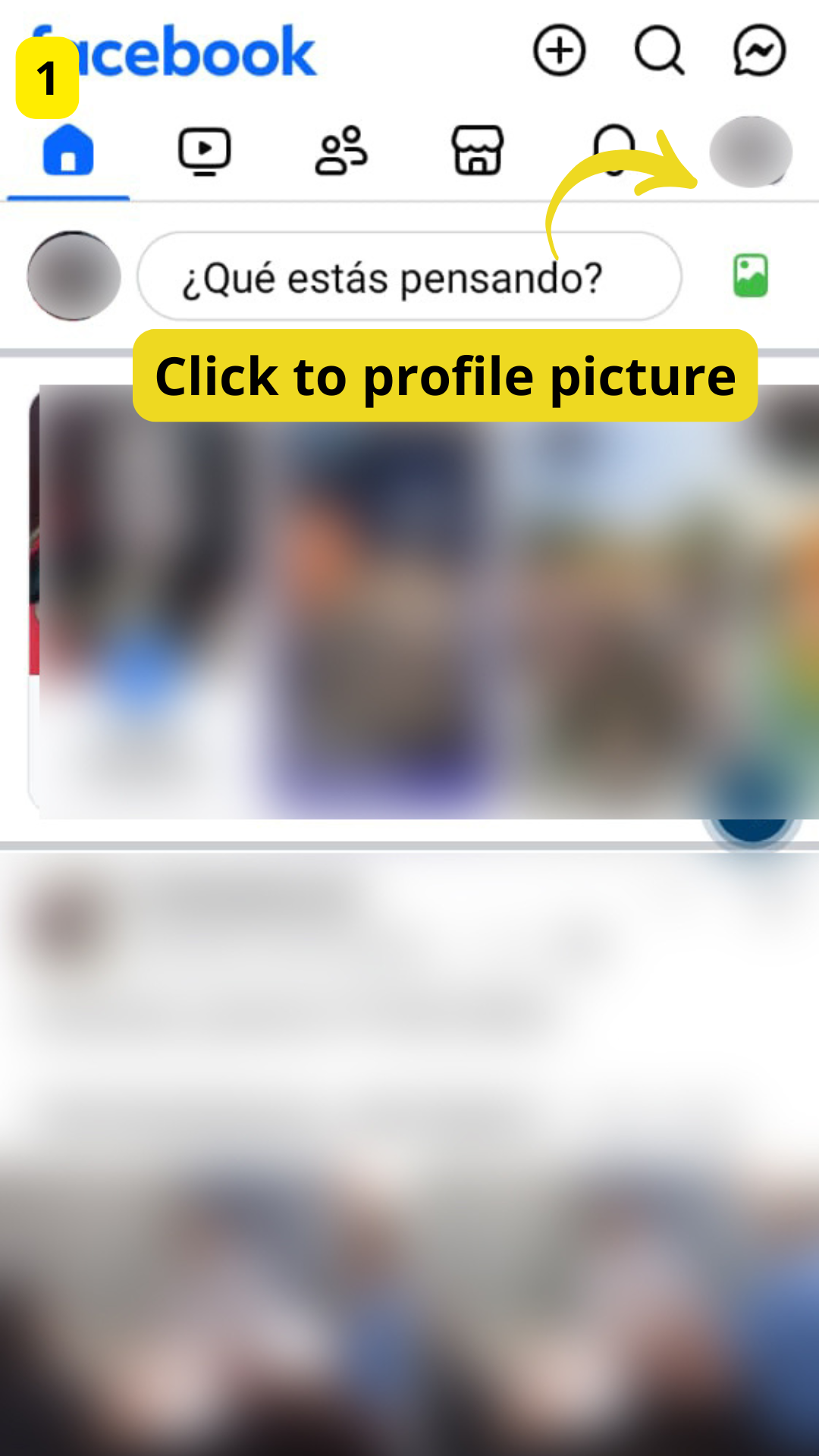
STEP 1:
Click To Profile Picture
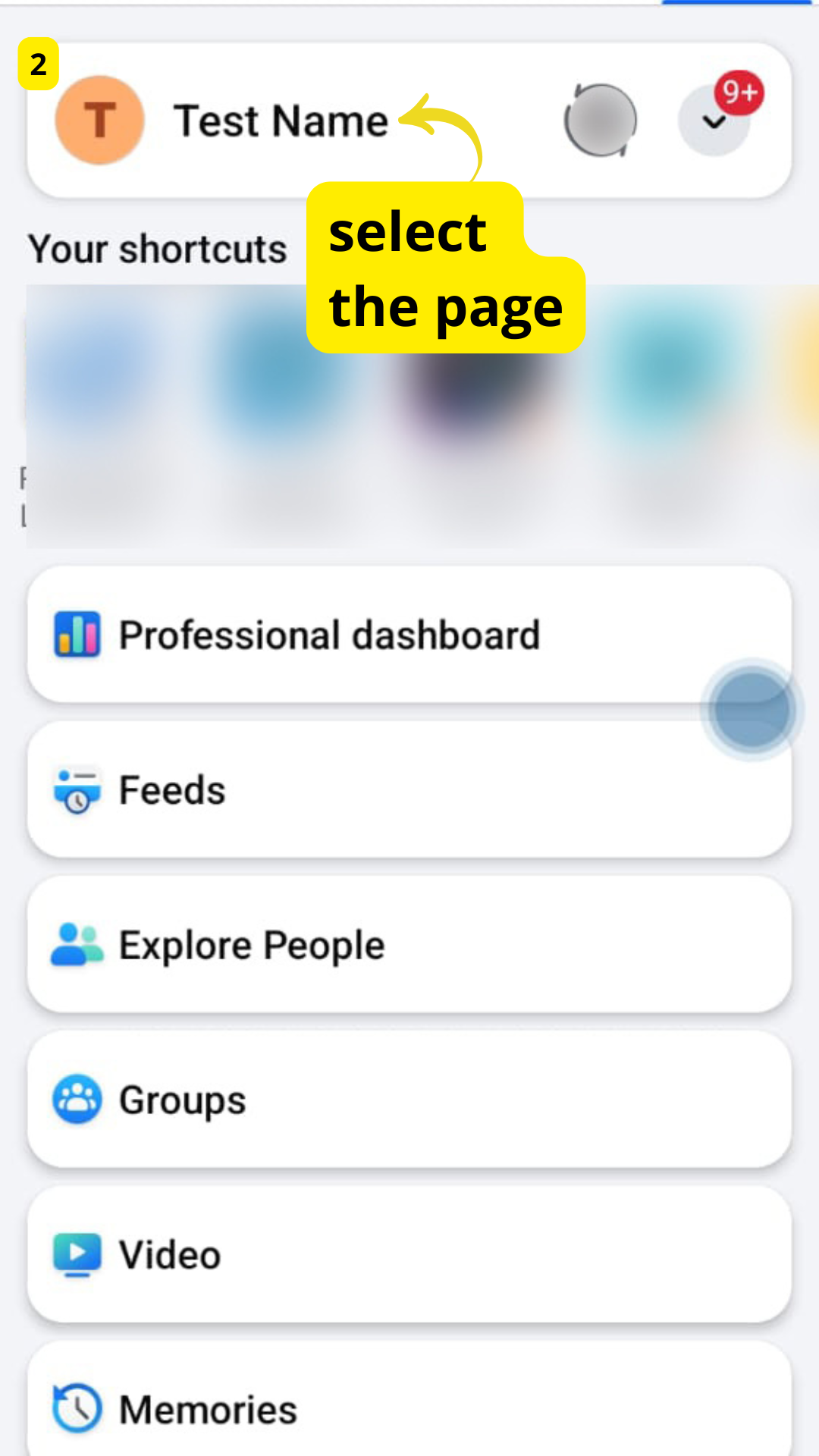
STEP 2:
Select the page
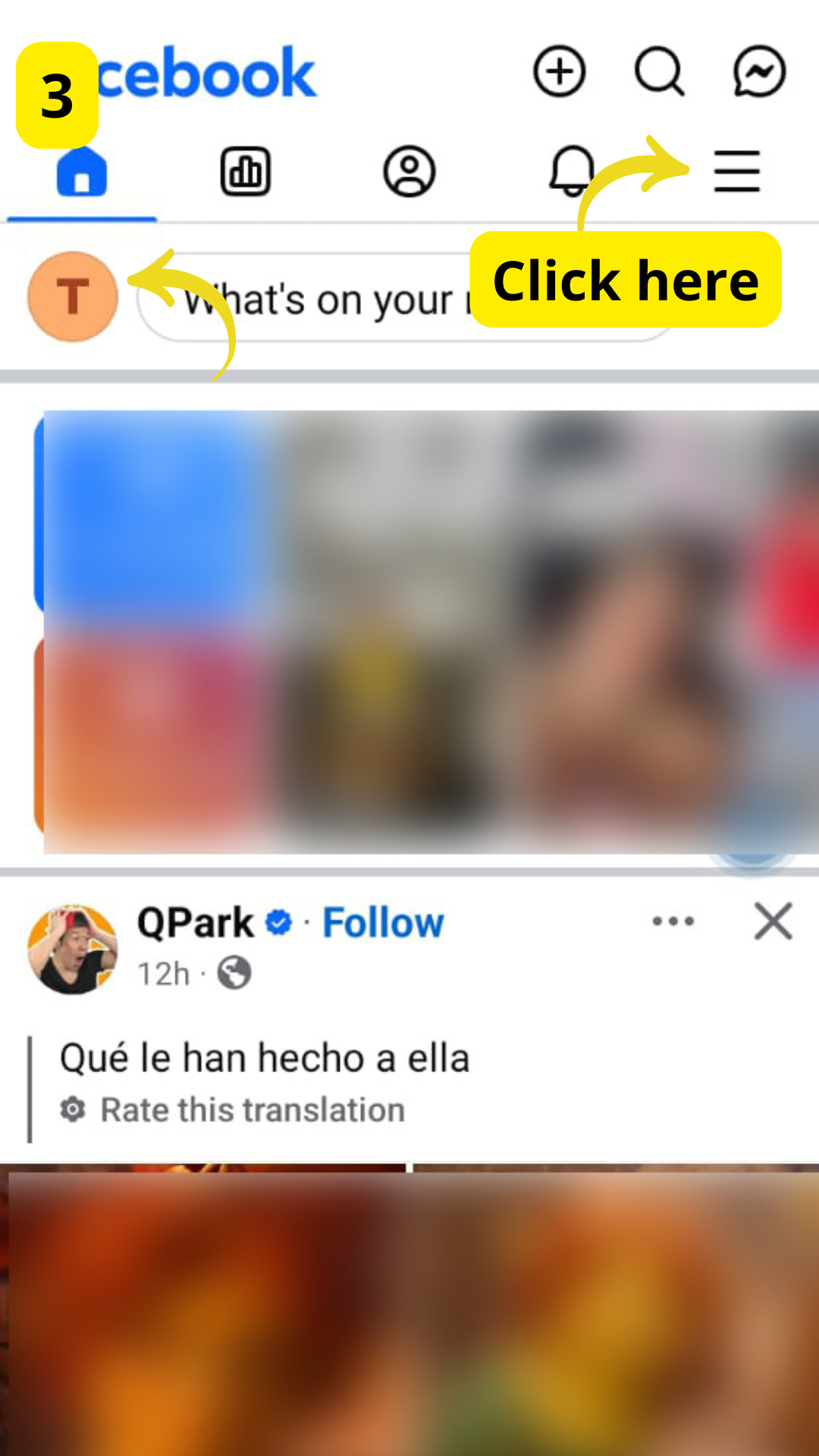
STEP 3:
Click on the menu bar
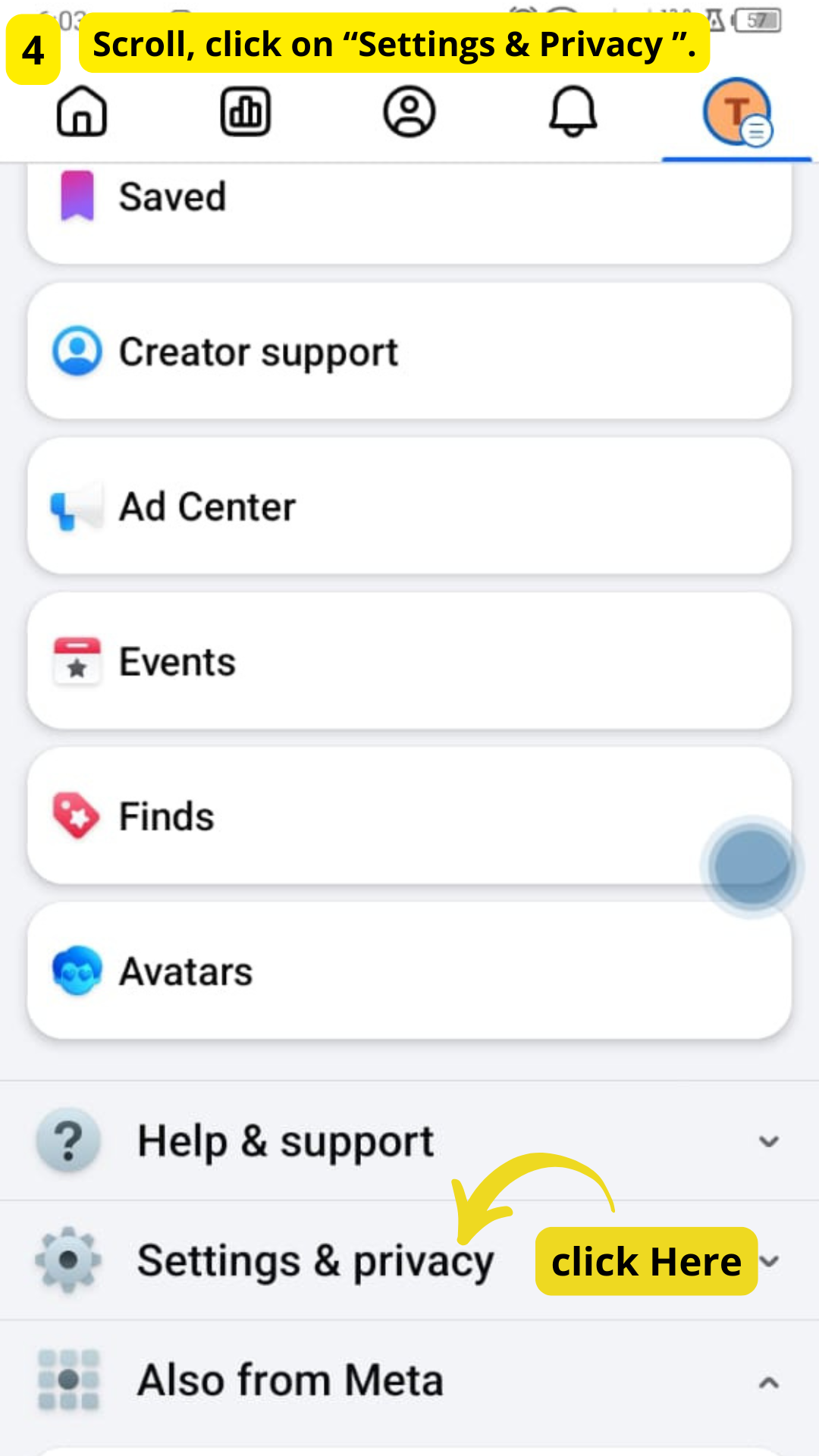
STEP 4:
Scroll, click on "Settings & Privacy"
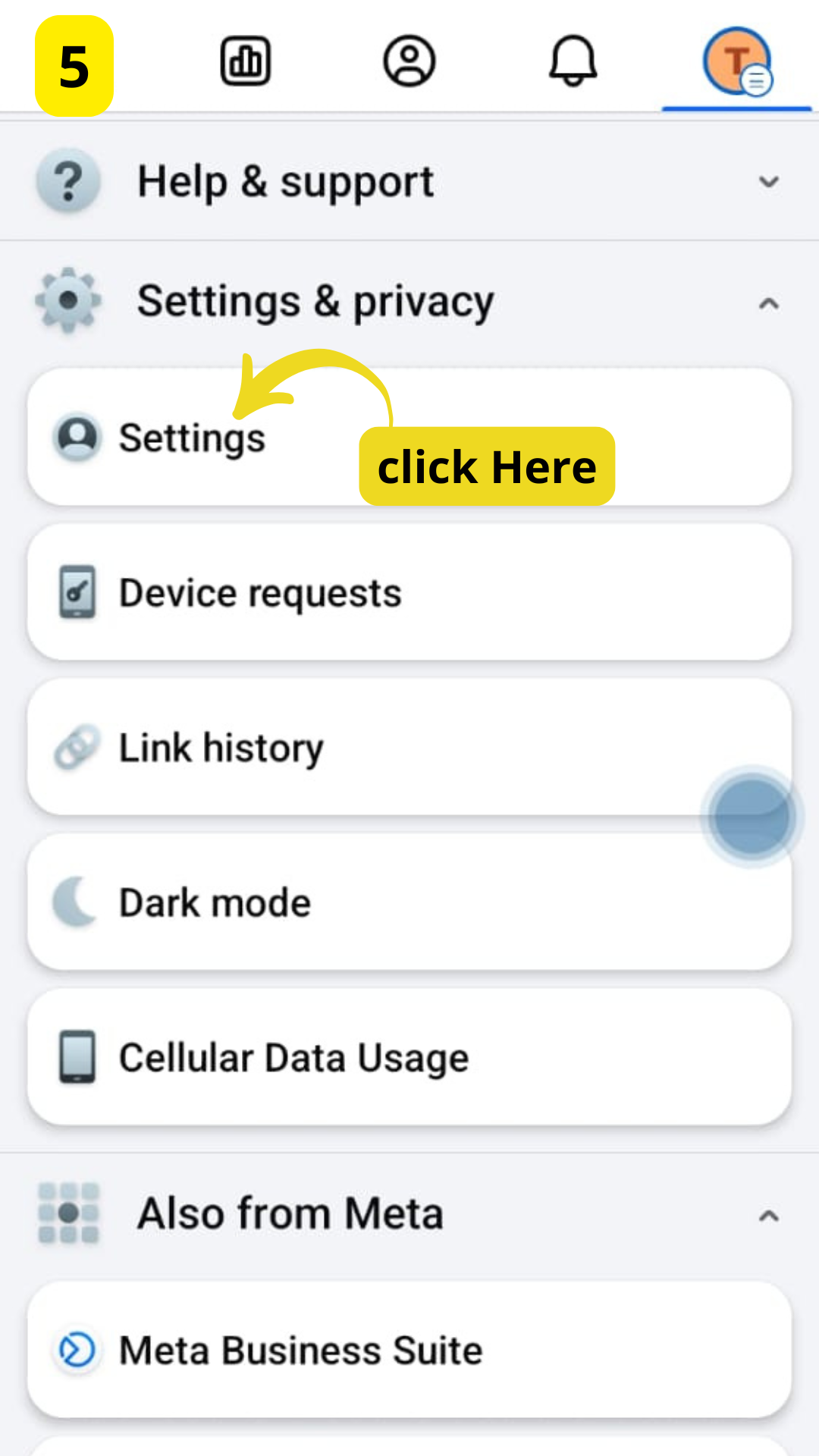
STEP 5:
Click on Settings
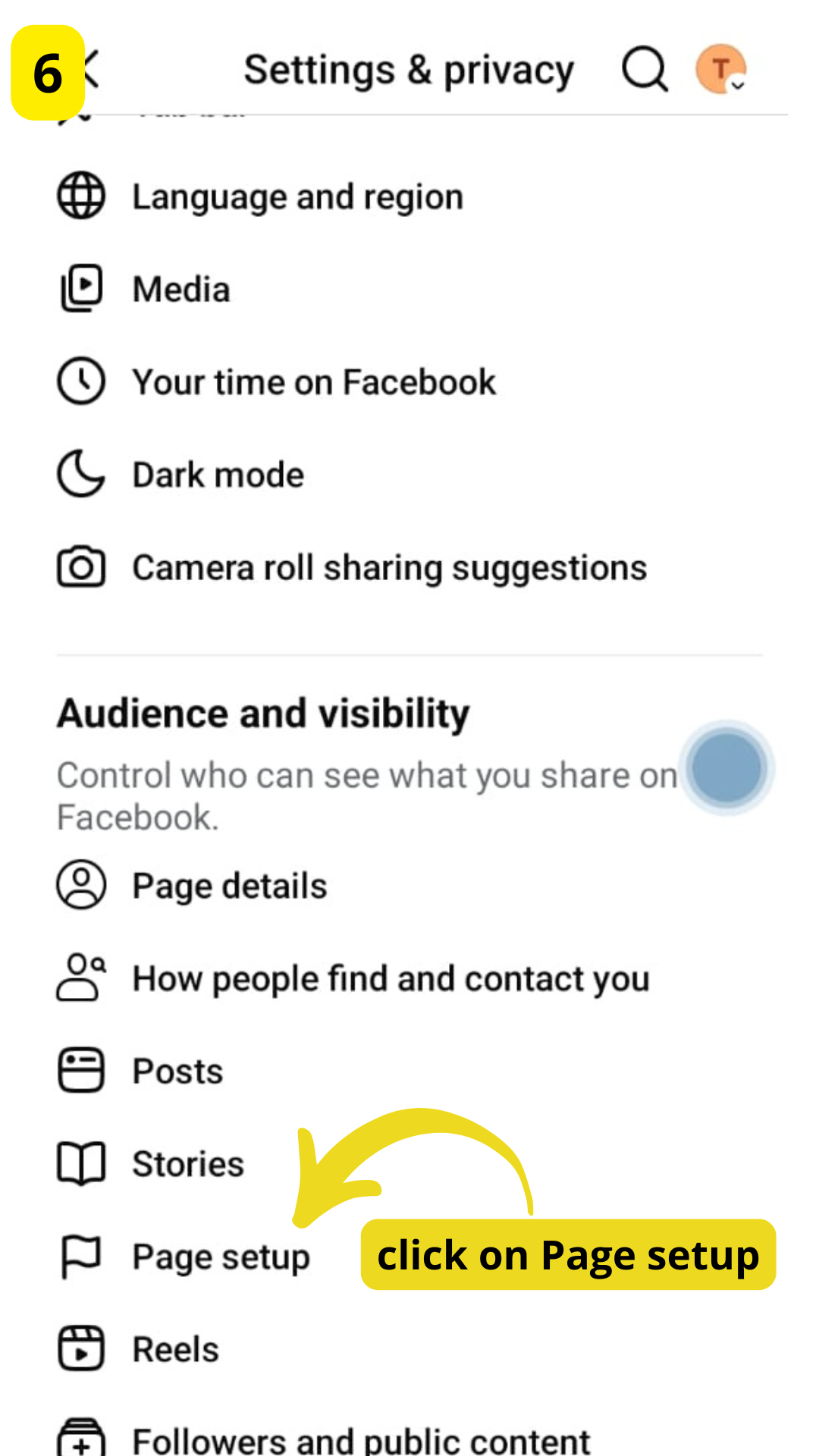
STEP 6:
Click on "Page Setup"
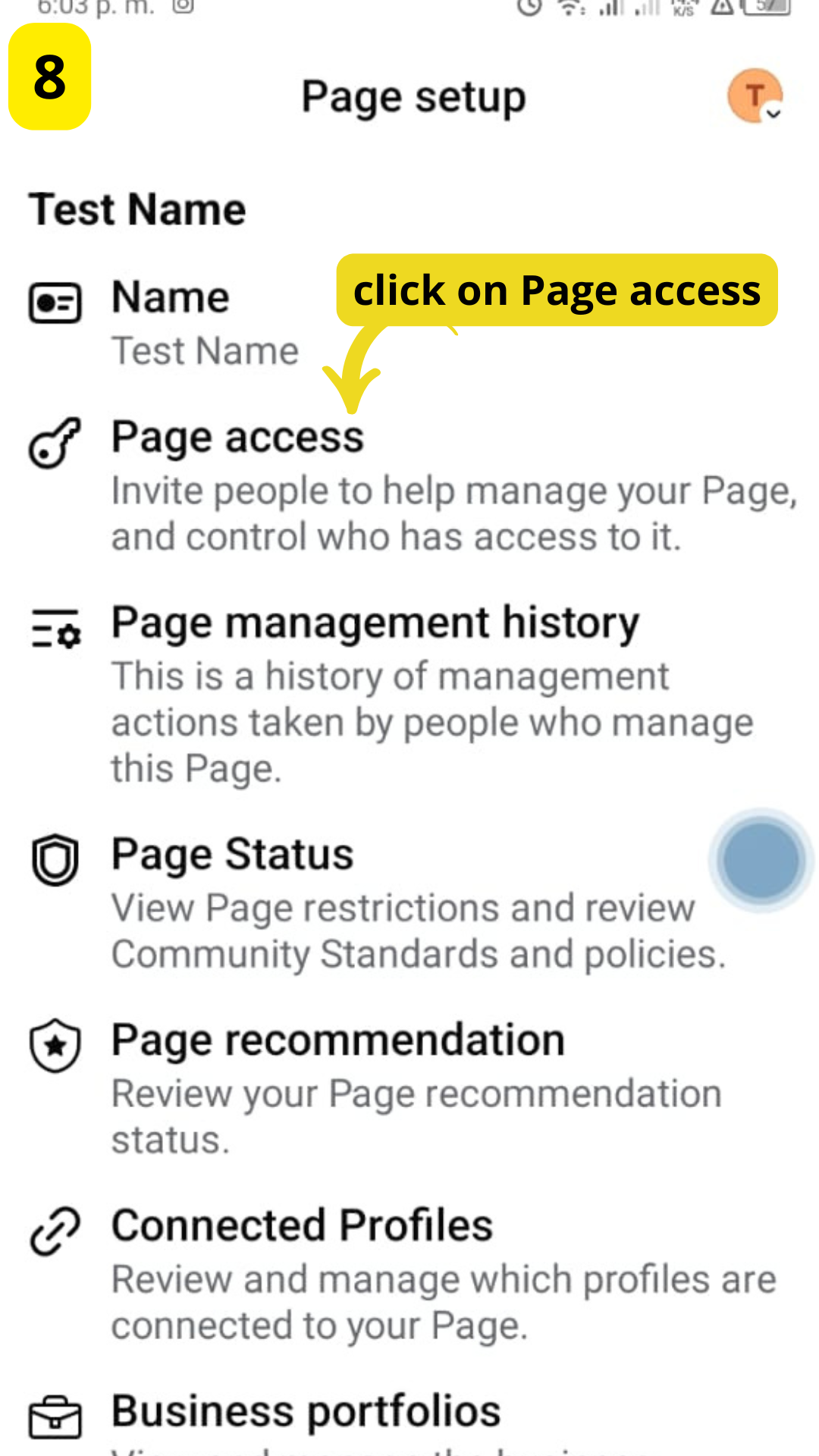
STEP 7:
Click On Page Access
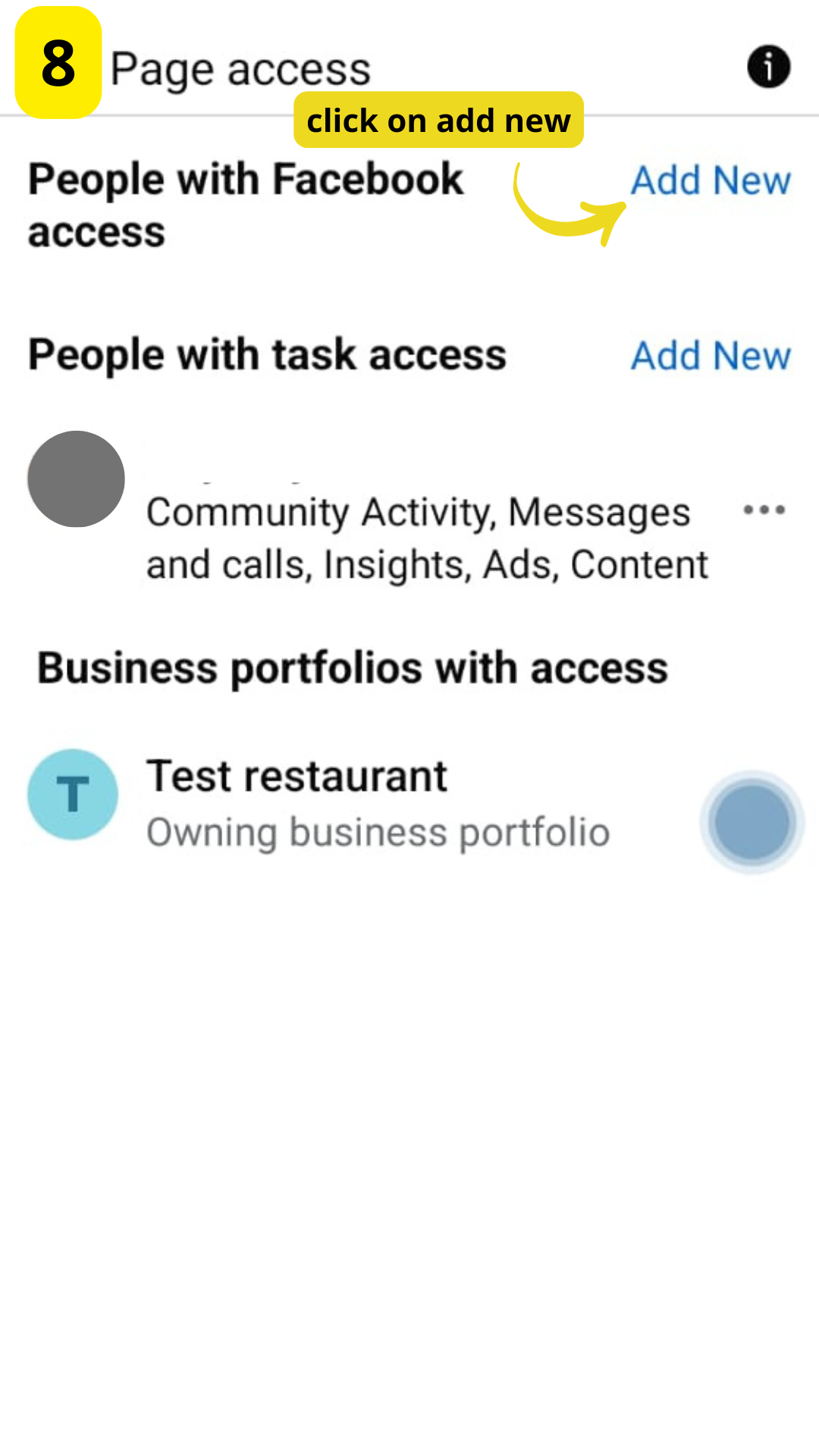
STEP 8:
Click on Add new
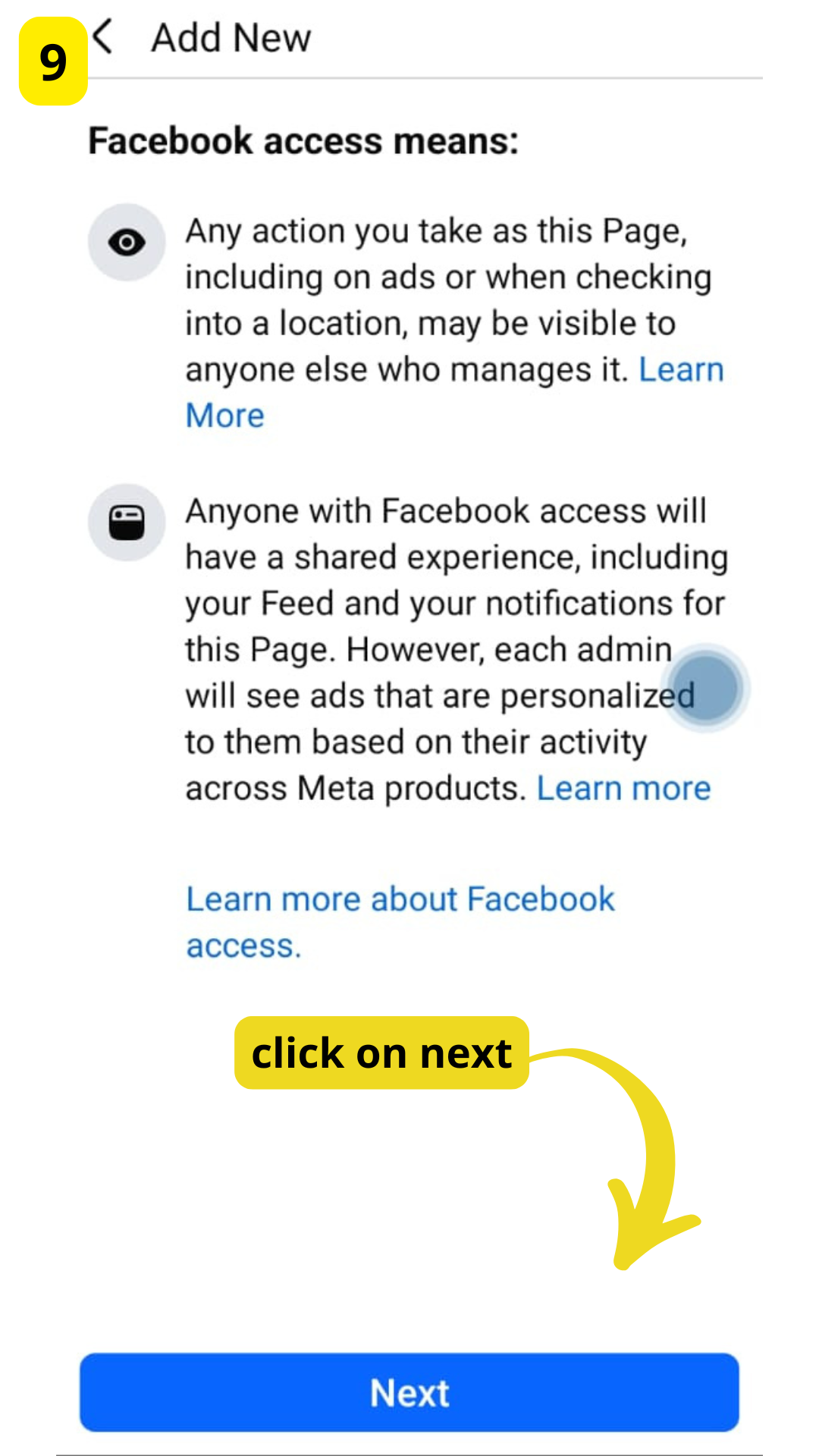
STEP 9:
Click on next
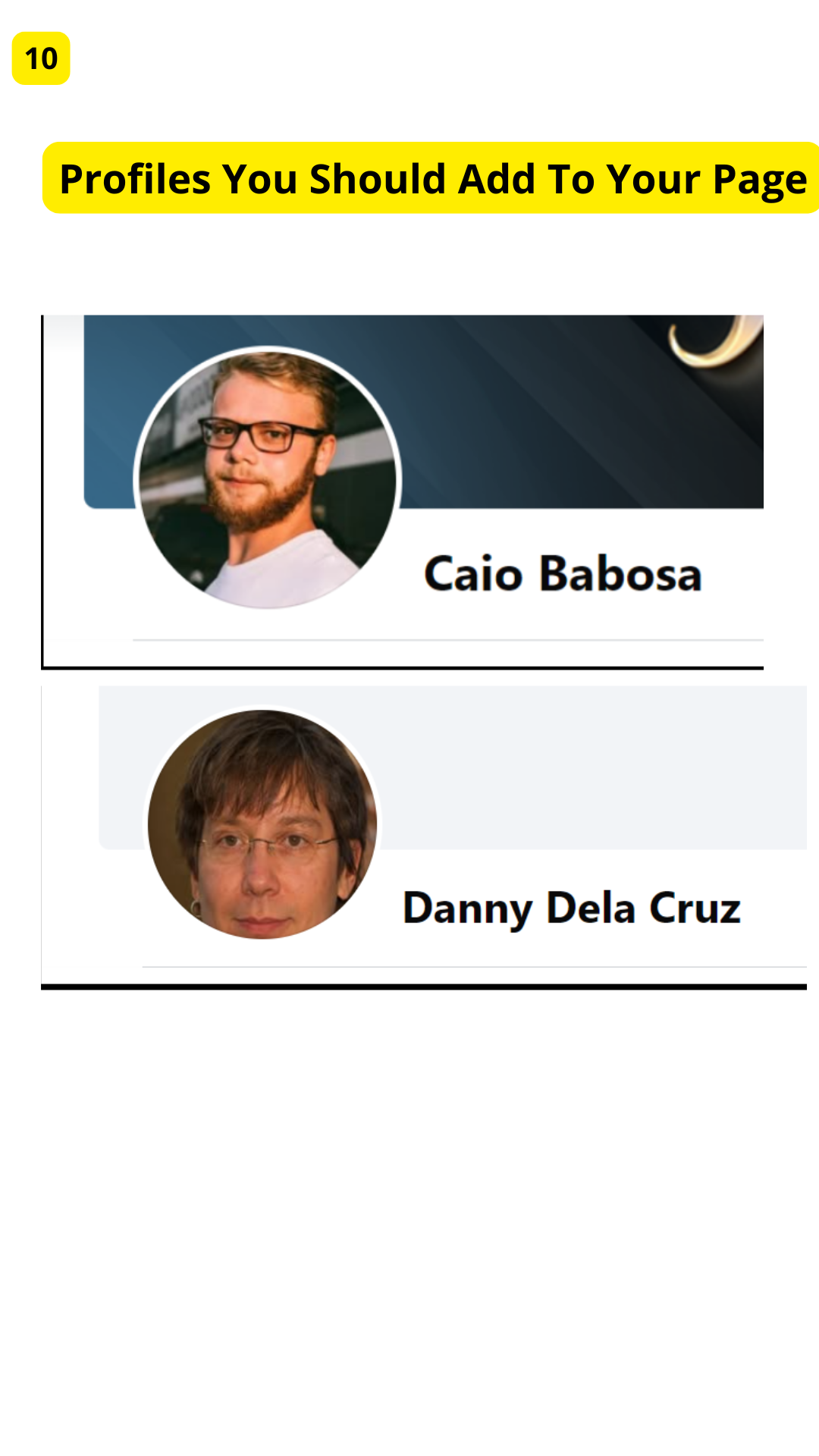
STEP 10:
Profiles you should add to your page
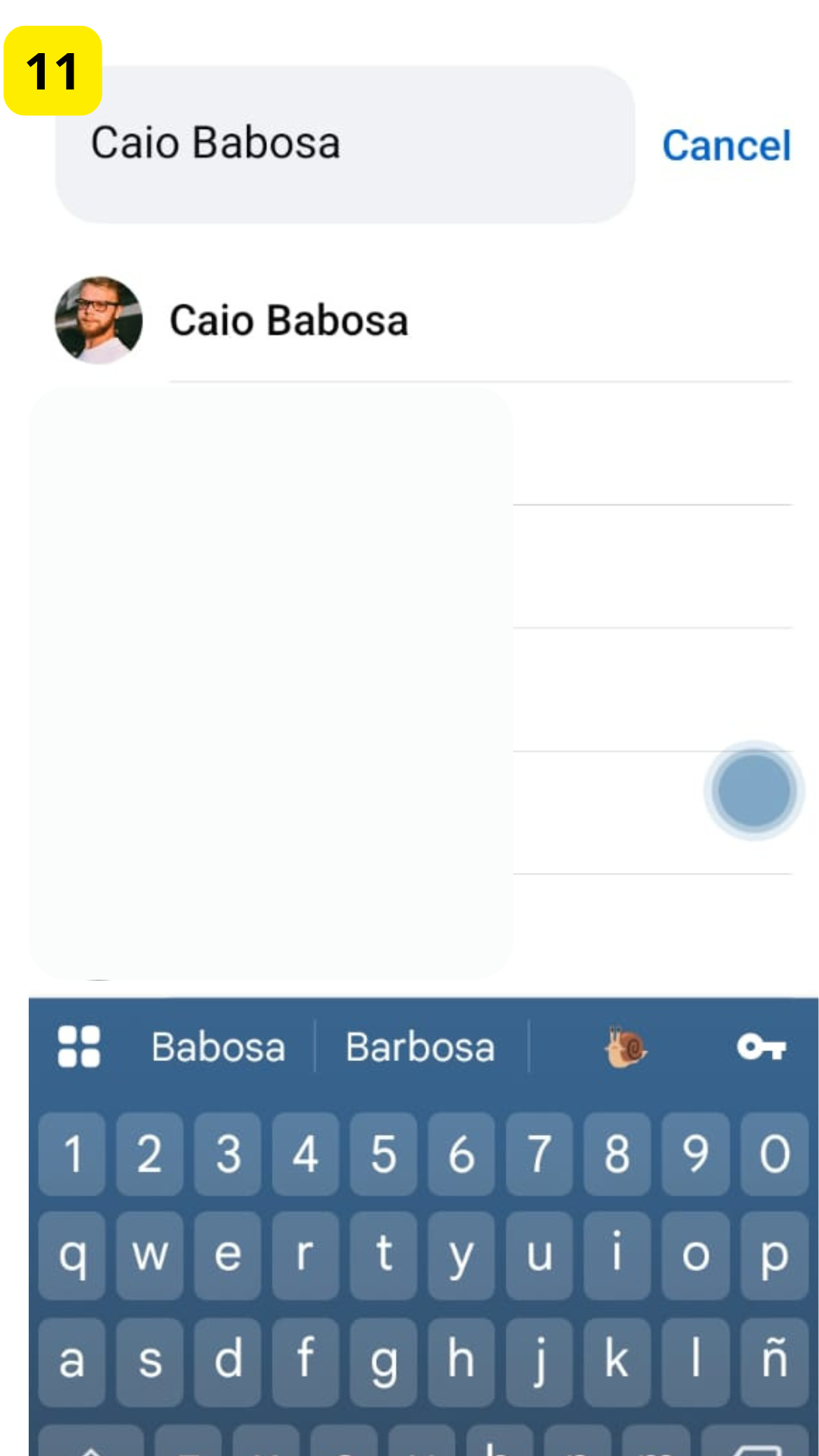
STEP 11:
Caio Babosa
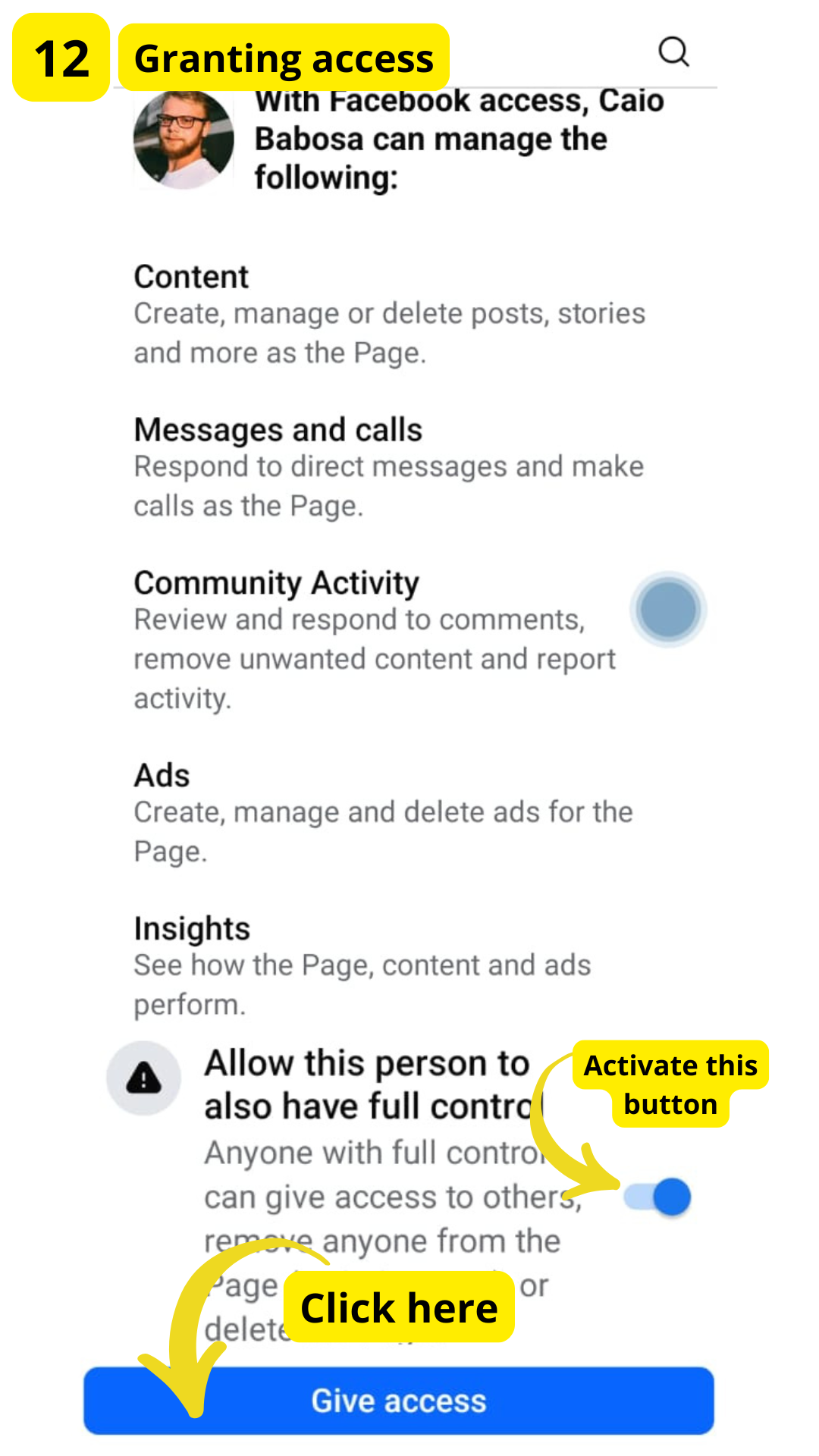
STEP 12:
Granting access
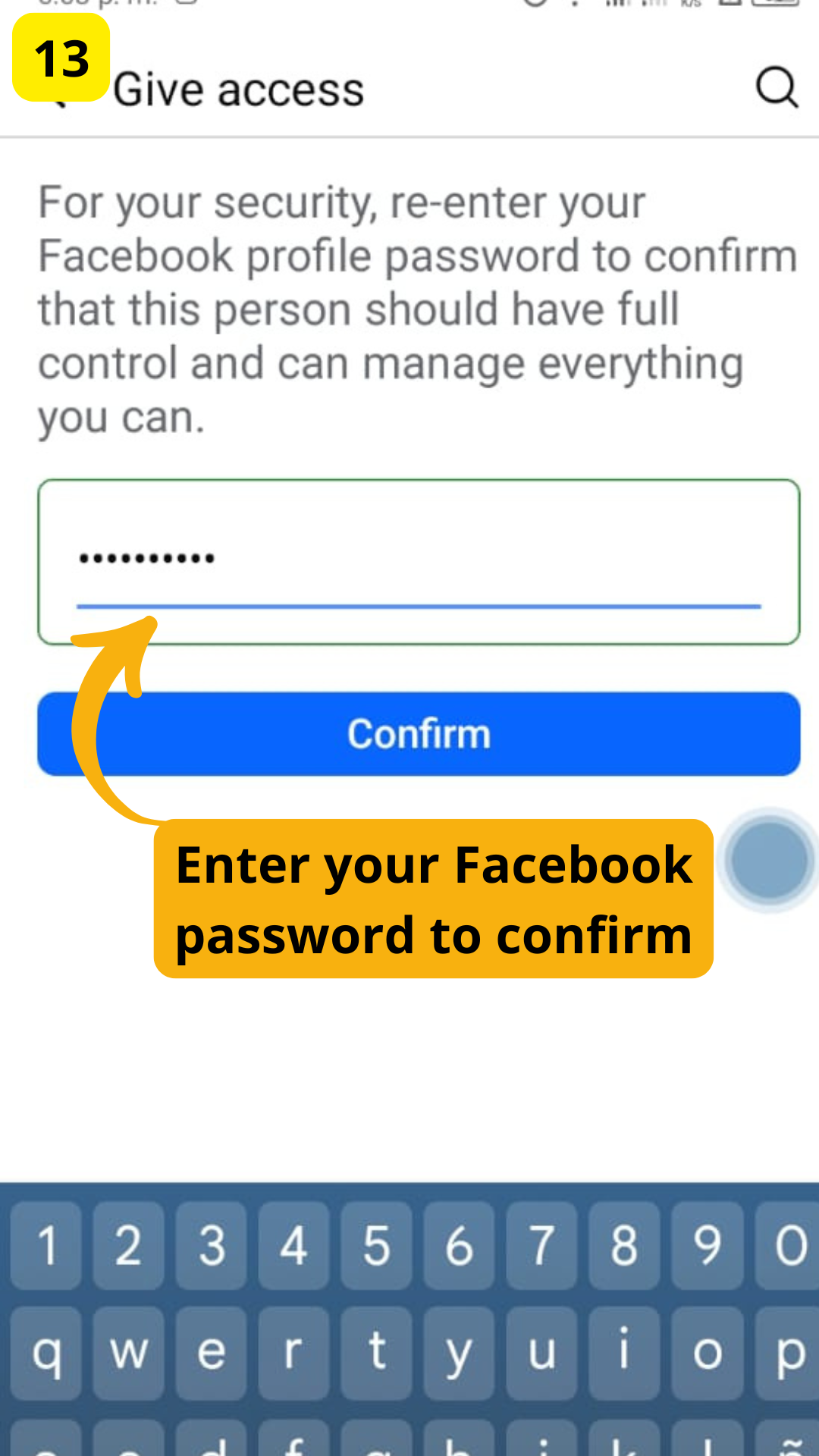
STEP 13:
Enter your Facebook password to confirm
2) Access To Social Network Ads
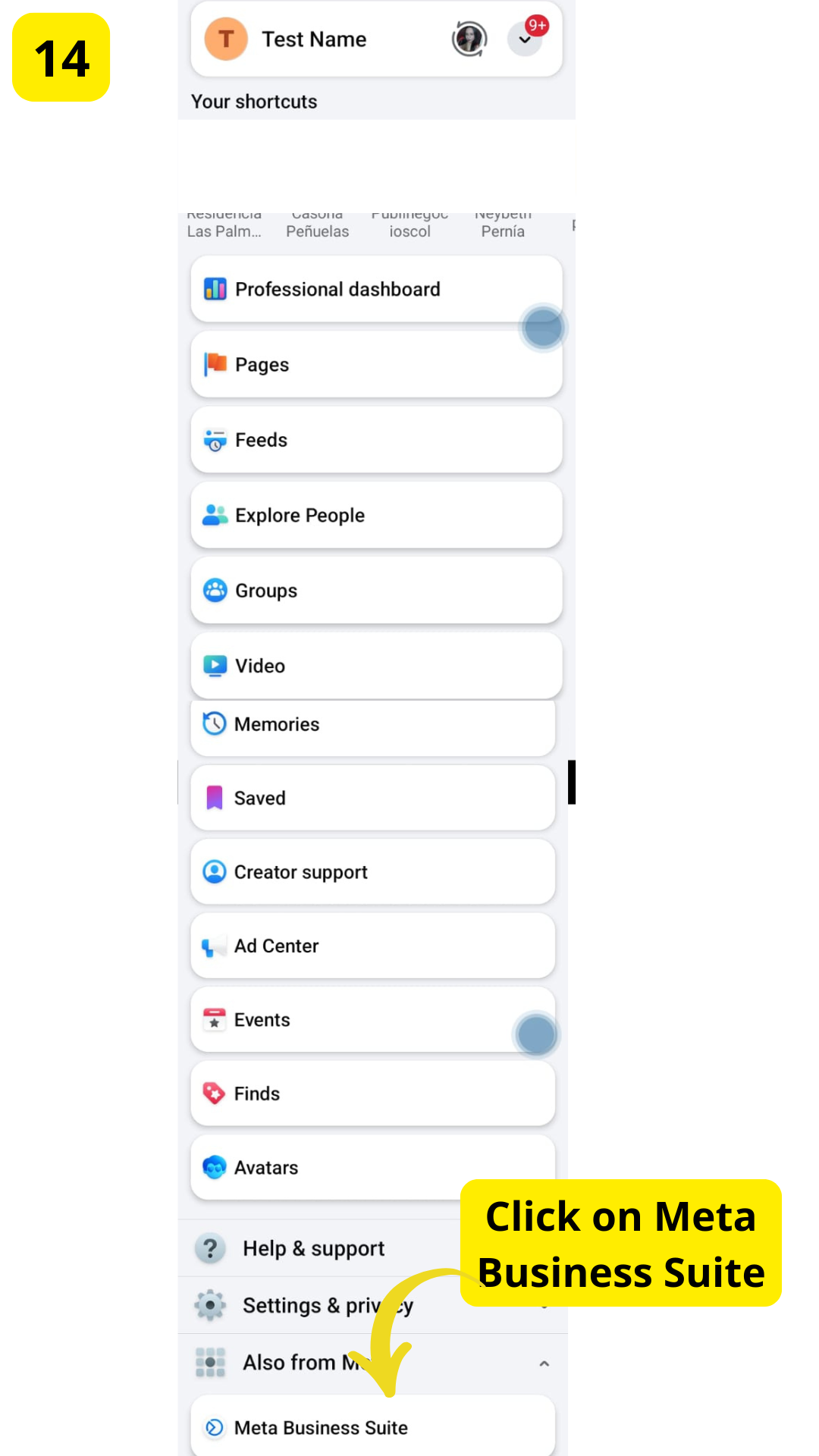
STEP 14:
Click on Meta Business Suite
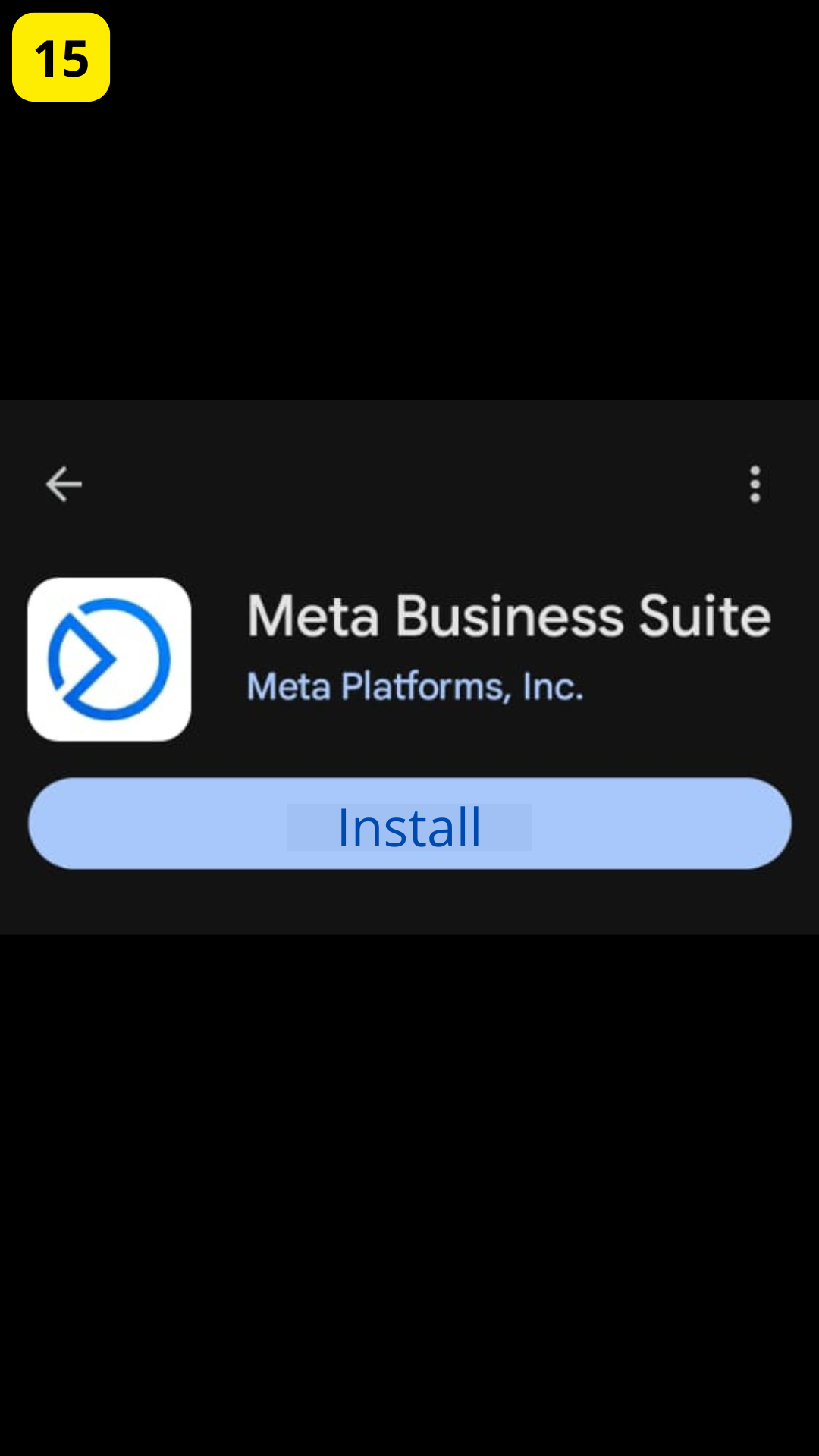
STEP 15:
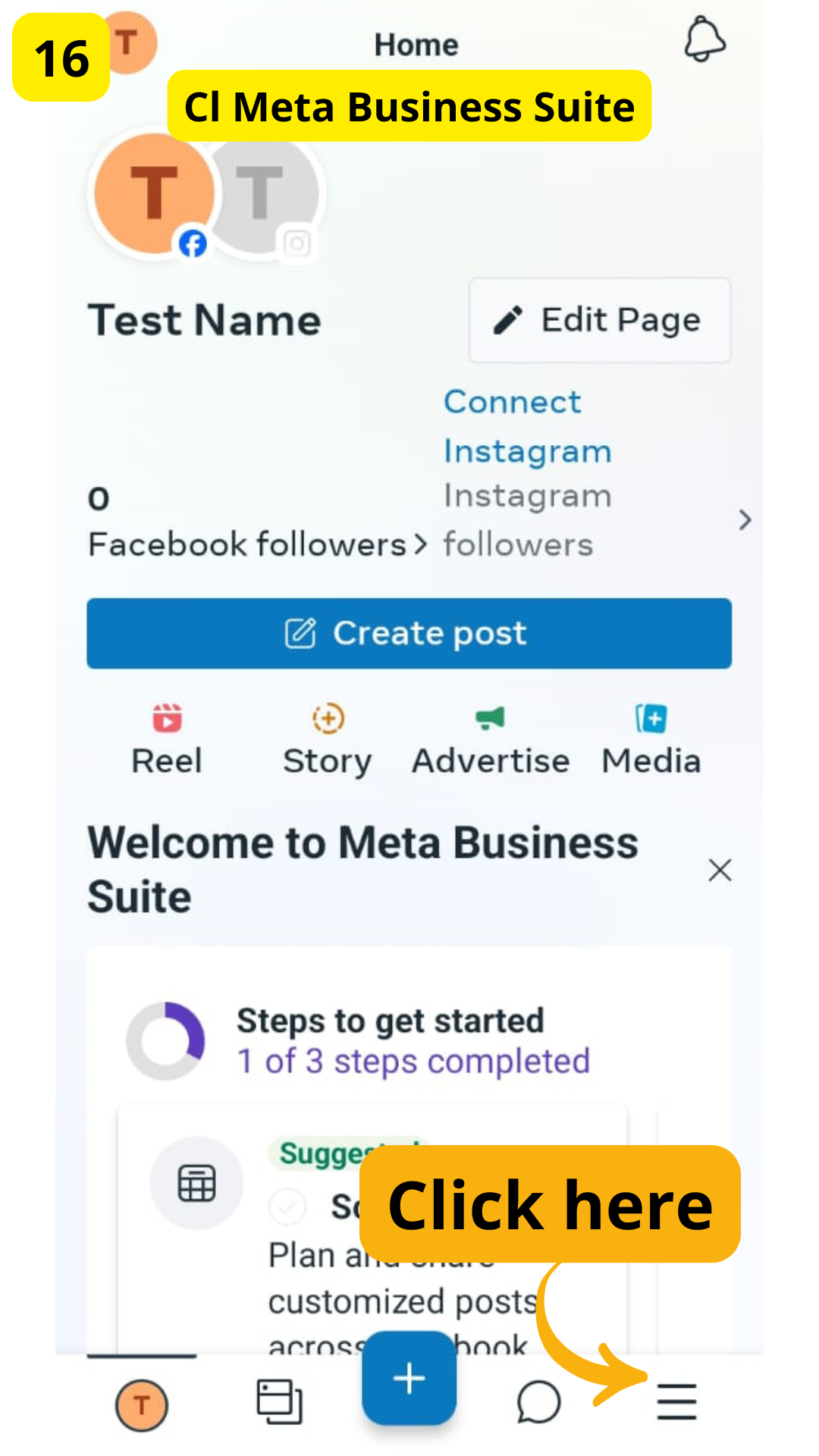
STEP 16:
Click on the menu bar
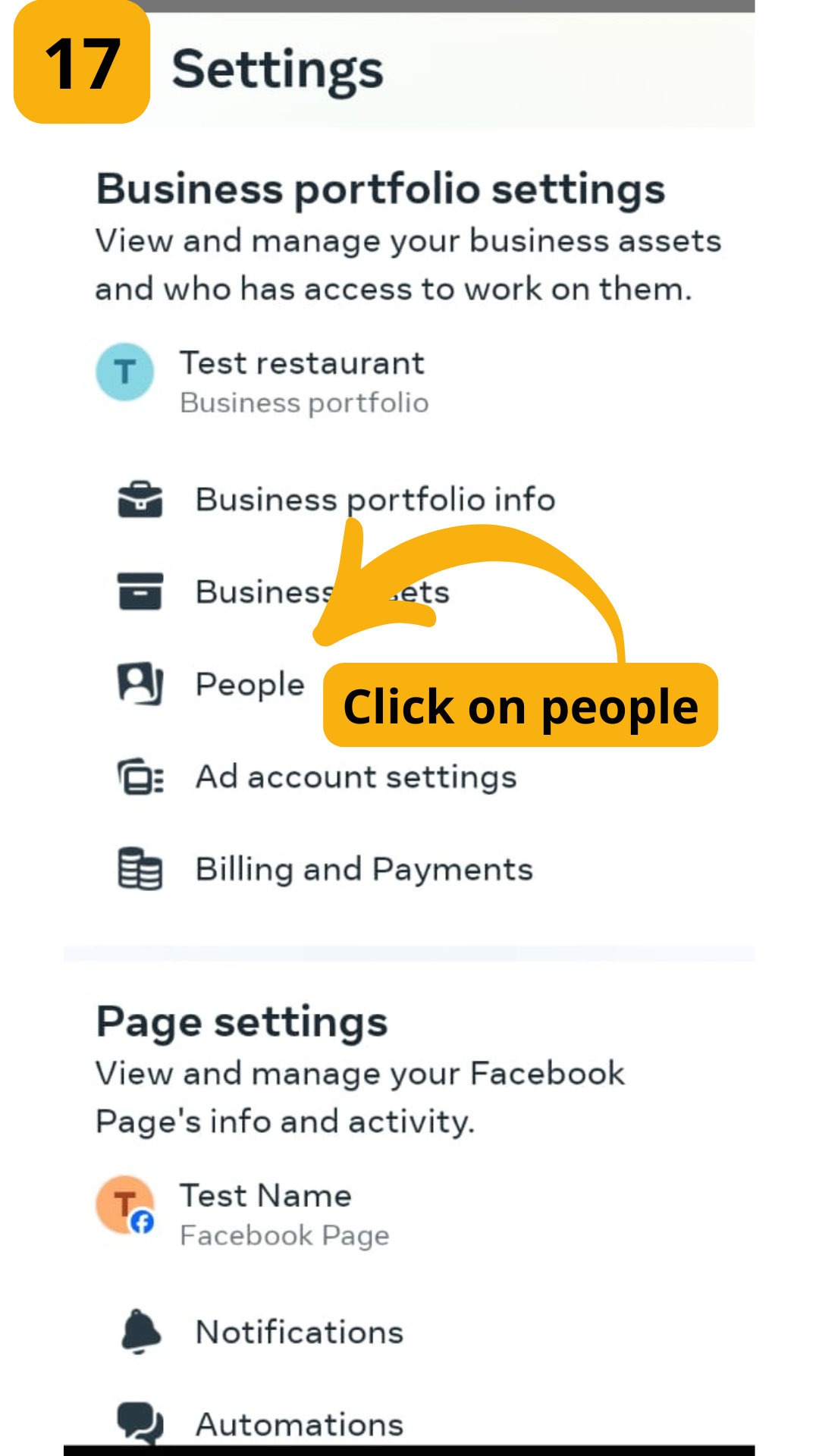
STEP 17:
Click on "People"
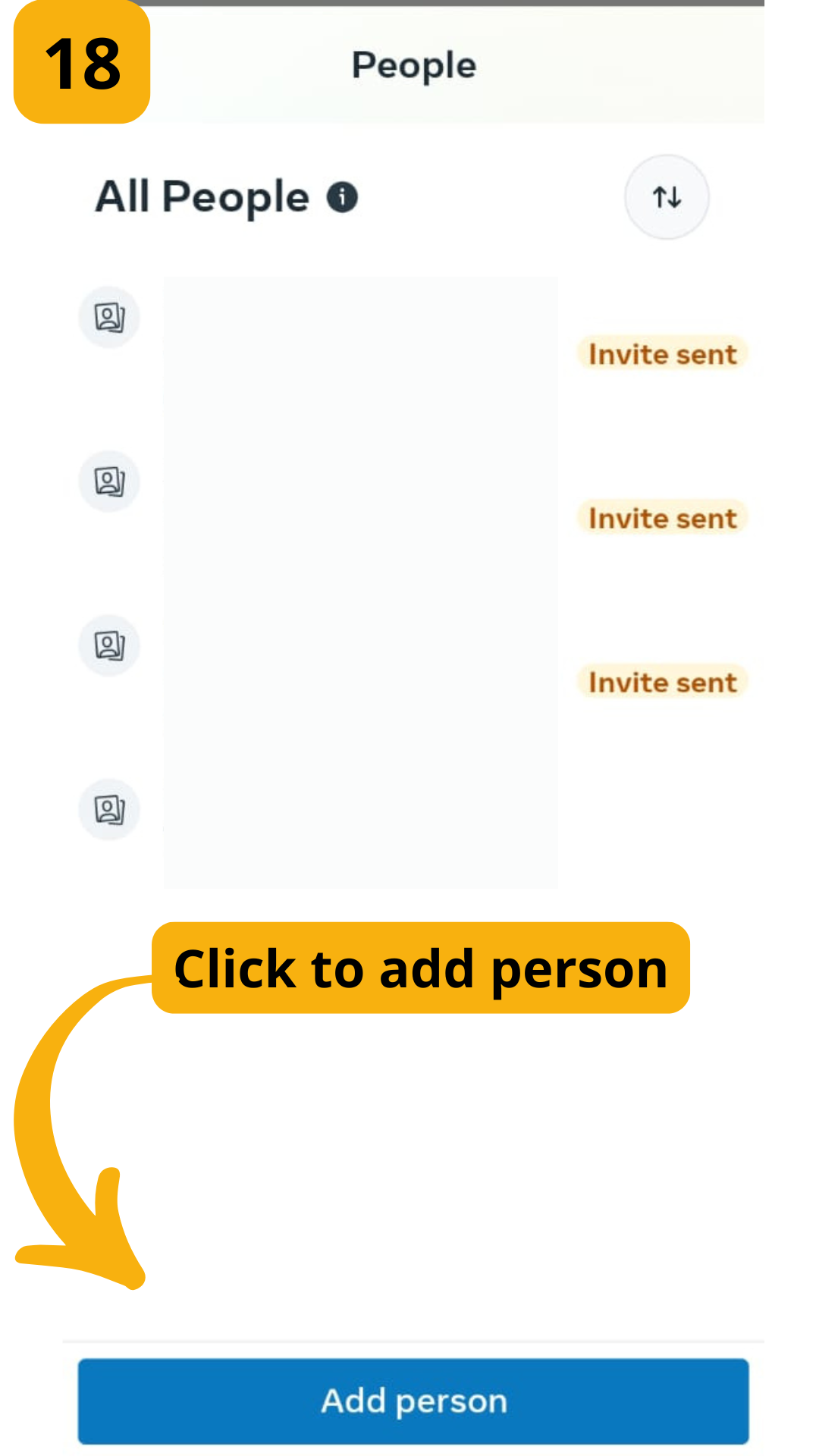
STEP 18:
Click to add person
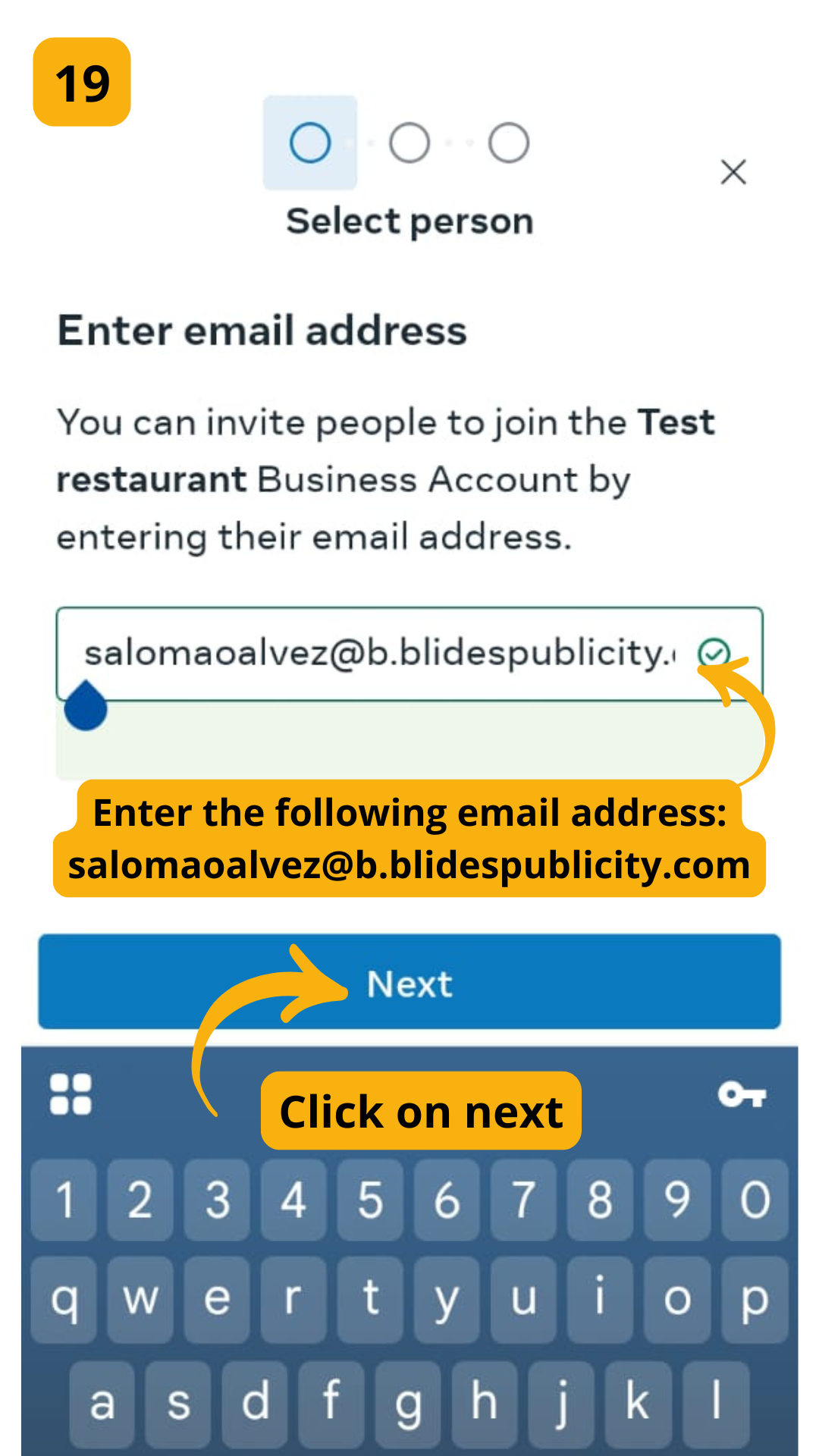
STEP 19:
Enter the following email address:
salomaoalvez@b.blidespublicity.com
And click on next
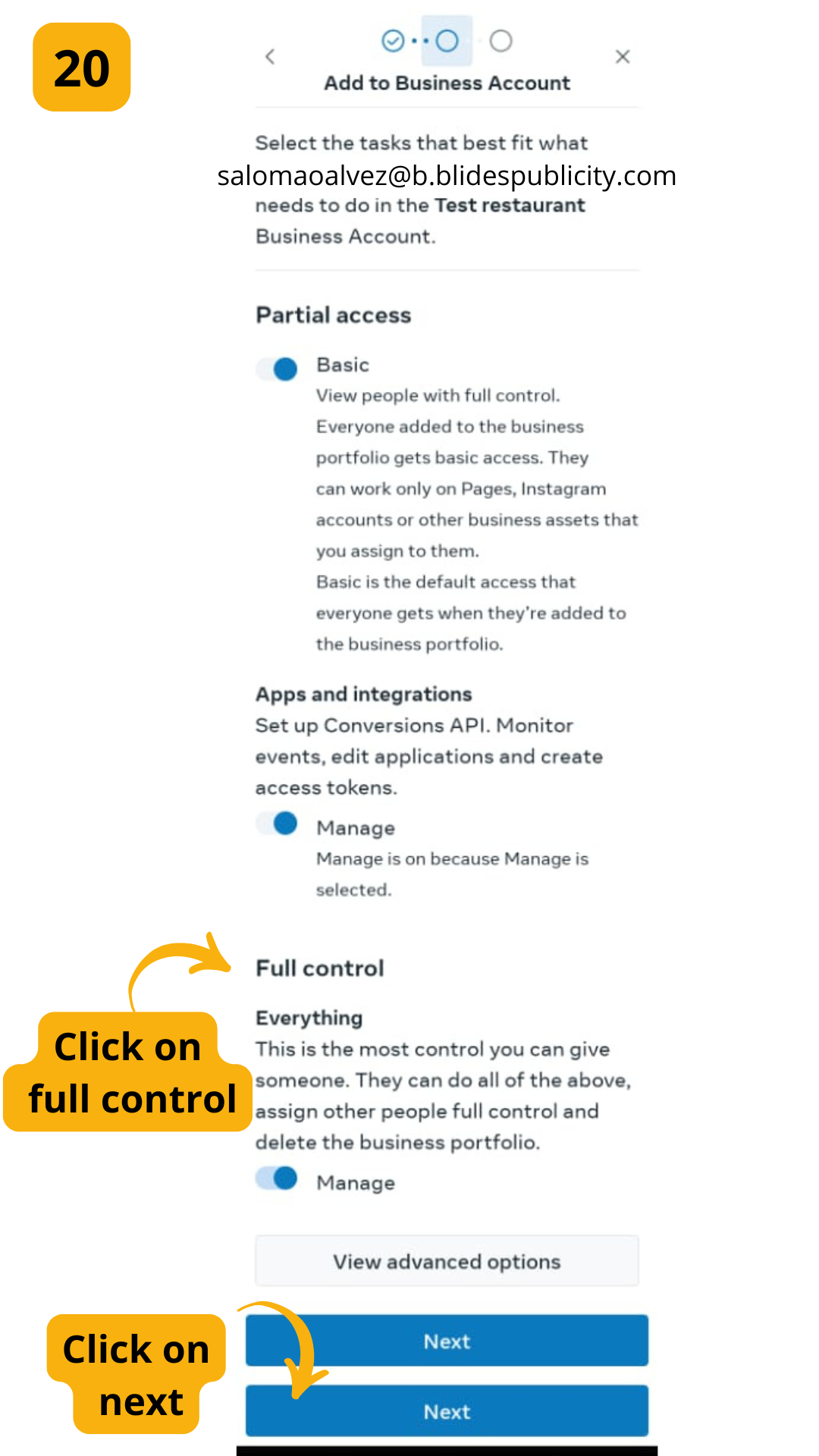
STEP 20:
Click on full control and then click on next
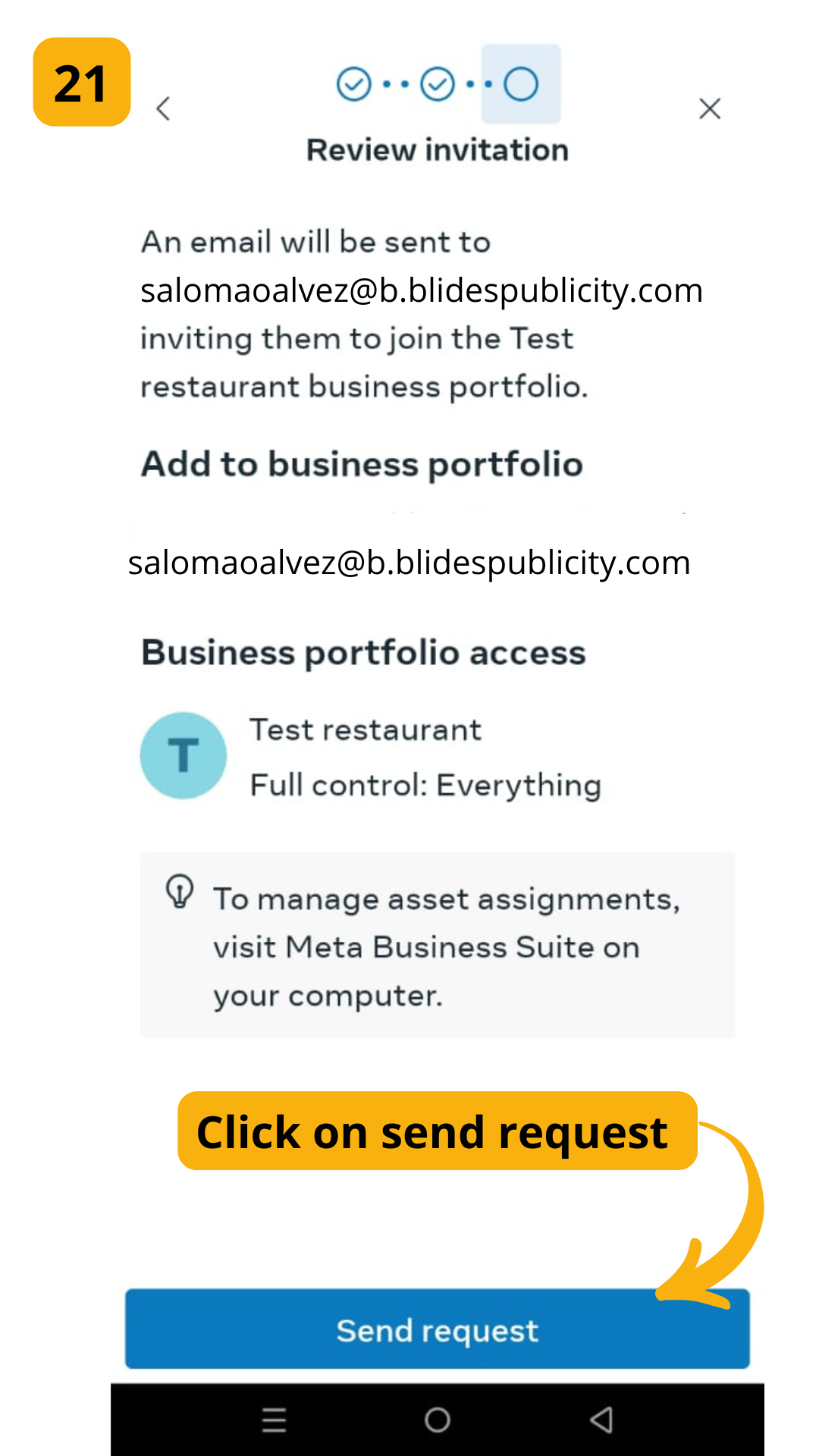
STEP 21:
Click on send request
Powered by
Joinchat
Hi
Hello
👋, welcome to
Bienvenido a QSinhouse
Can we help you?
Open Chat